How to Liquid Stake BTC with Lombard: A Step by Step Guide to Mint LBTC

TL;DR;
- Lombard introduces Bitcoin to DeFi, creating LBTC, a yield-bearing, cross-chain, liquid token backed 1:1 by BTC.
- Lombard is already live on Ethereum, users can stake native BTC and mint LBTC via the Stake App.
- How to stake BTC with Lombard & mint LBTC in a nutshell:
Step 1: Navigate to the Bitcoin Staking App.
Step 2: Connect your Bitcoin wallet and link your destination wallet on Ethereum.
Step 3: Enter your desired amount of BTC and the transaction fee.
Step 4: Click “Stake” and confirm the transaction in your wallet.
Step 5: Wait 6 blockchain confirmations after which LBTC is automatically minted and available in the Staking Terminal
This article will guide you through everything you need to know to start staking BTC with Lombard. Join the Bitcoin staking revolution and be among the first to earn staking rewards from your idle BTC.
How does BTC Staking work with Lombard?
Lombard connects Bitcoin to DeFi by creating LBTC, a yield-bearing, cross-chain, liquid Bitcoin, backed 1:1. This enables Bitcoin to serve as both a store of value and an active asset in DeFi, allowing it to earn, stake, trade, and participate in decentralized finance without fragmenting liquidity.
Lombard has partnered with Babylon to enhance Bitcoin's utility in DeFi by addressing the limitations of Babylon's native staking, which locks BTC out of cross-chain composability and DeFi integrations. LBTC unlocks staked BTC liquidity, allowing holders to earn native yield from Babylon, gain liquidity for use in DeFi, and use LBTC as collateral in various protocols.
A Step-by-Step Guide to Stake BTC with Lombard
The following steps outline how to stake BTC with Lombard via the Stake App on Staking Rewards.
Important to note:
- Lomabrd introduced the automint feature with the V2, automatically minting LBTC after 6 blockchain confirmations.
- Lombard will not mint funds automatically if gas prices are very high.
- Users will be able to still manually mint LBTC after 6 confirmations if gas prices are very high and the automint was disabled.
- Users can stake BTC from any Bitcoin wallet, including DeFi wallets, hardware wallets, or centralized exchange, which allows them to make a transfer on the Bitcoin blockchain to a SegWit address.
Step 1: Prepare a supported Bitcoin wallet
You can stake BTC tokens via wallets, such as OKX Wallet, Tomo Wallet, Bitget Wallet, and Binance Web3 Wallet. Install the browser extension or download the selected wallet as your Lombard wallet and deposit your BTC into it before proceeding to the next step. You can also connect with your Ledger hardware wallet.
Step 2: Start staking BTC
Navigate to the Stake App on Staking Rewards.
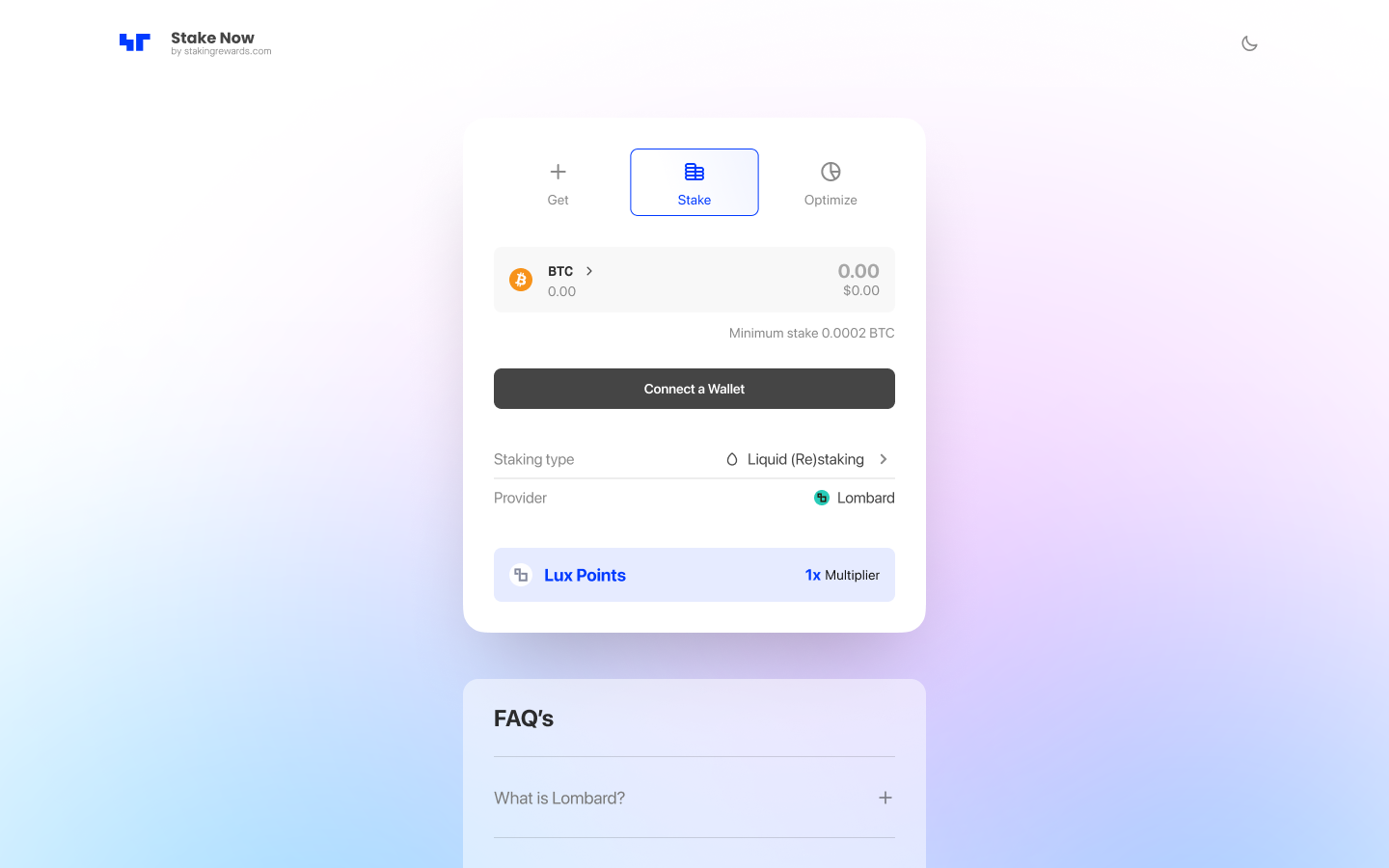
Follow the step-by-step guide below.
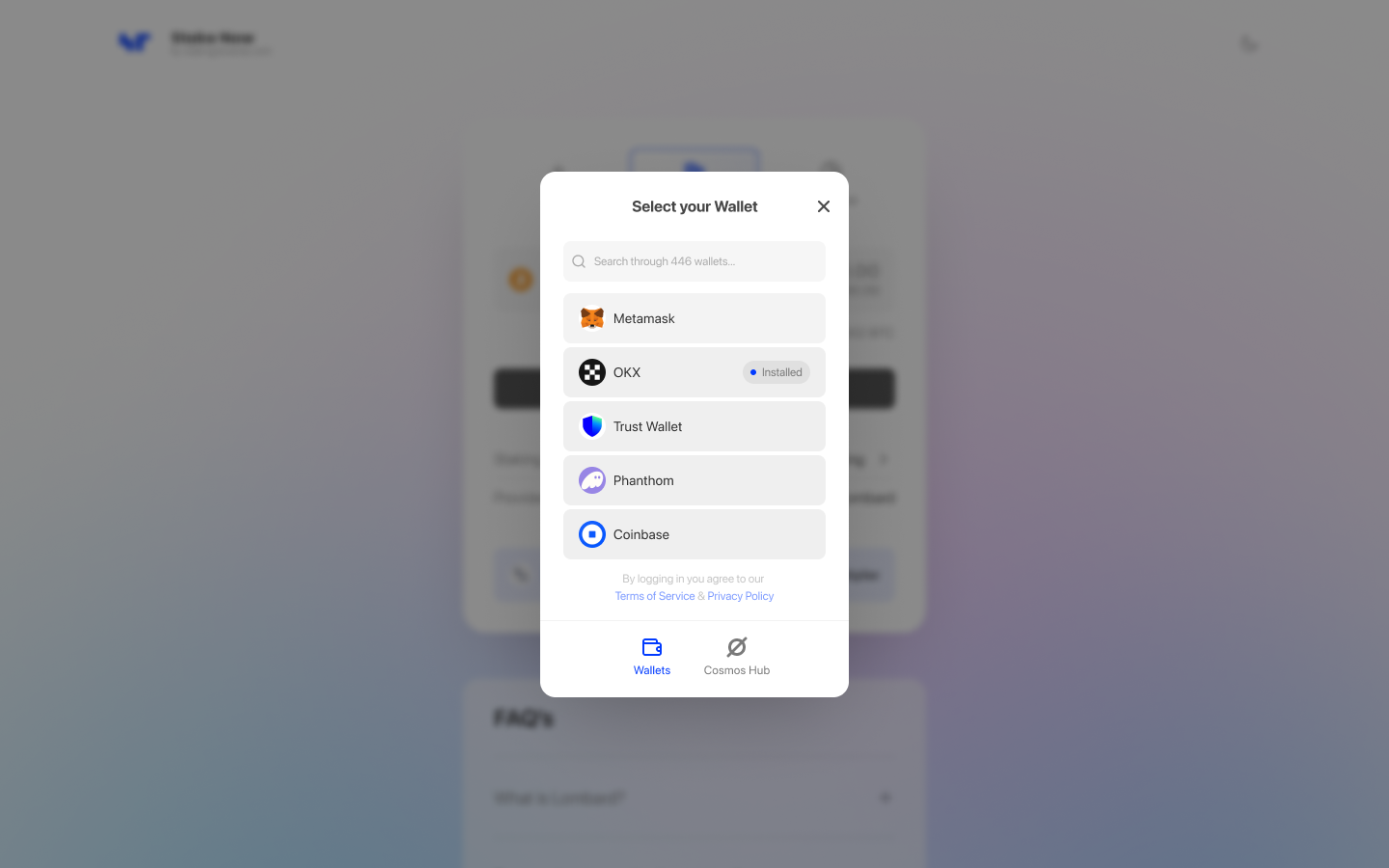
Step 3: Connect your Bitcoin wallet
Connect your wallet. Allow the application access and sign signature request, if you’re visiting the website for the first time.
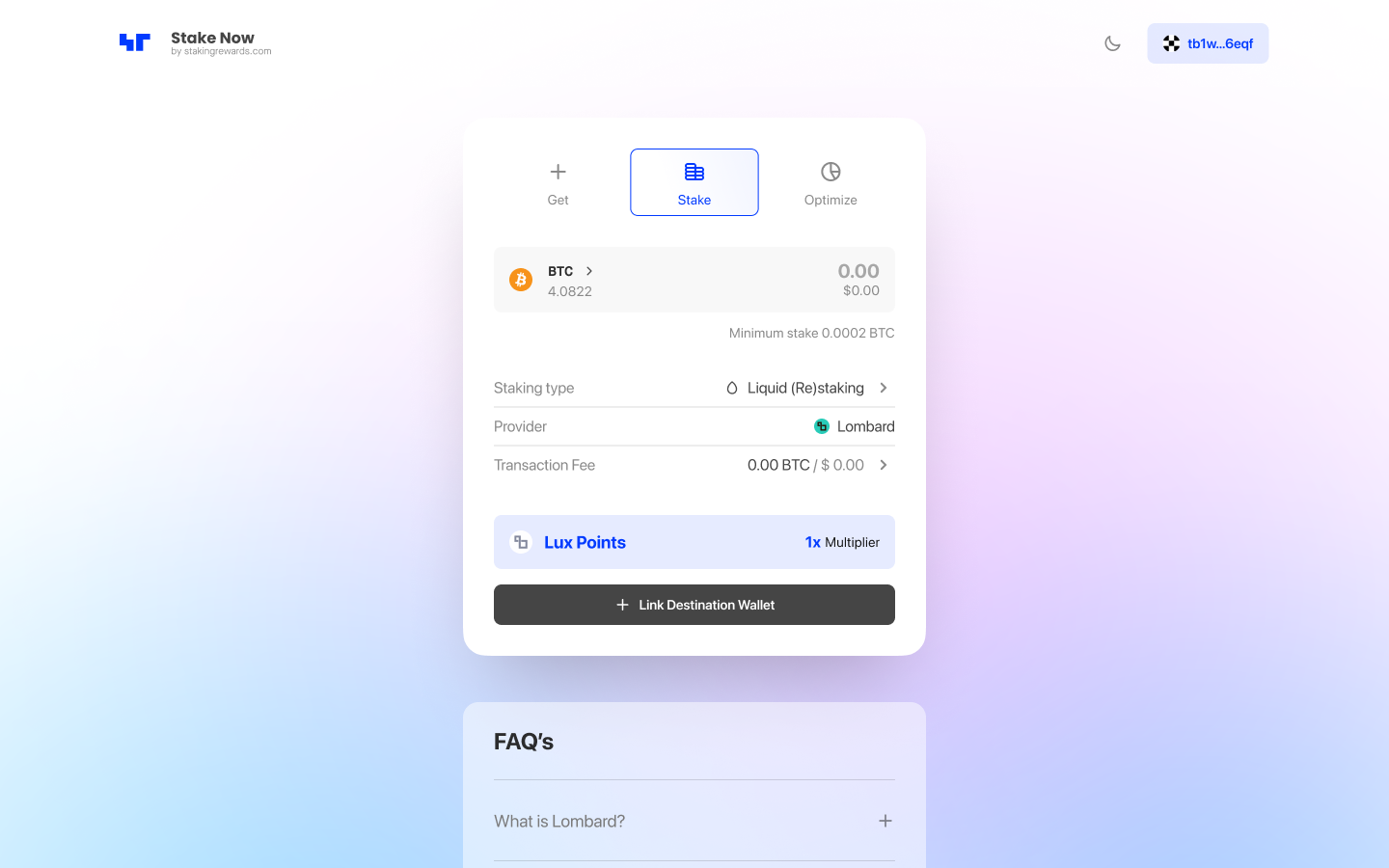
Step 4: Link destination wallet
Link your destination wallet where you will receive LBTC. Sign the request and connect your account.
Step 5: Enter the BTC amount
Input the number of BTC you want to stake. Select or switch the address format in your wallet. The minimum staking deposit is at least 0.0002 BTC.
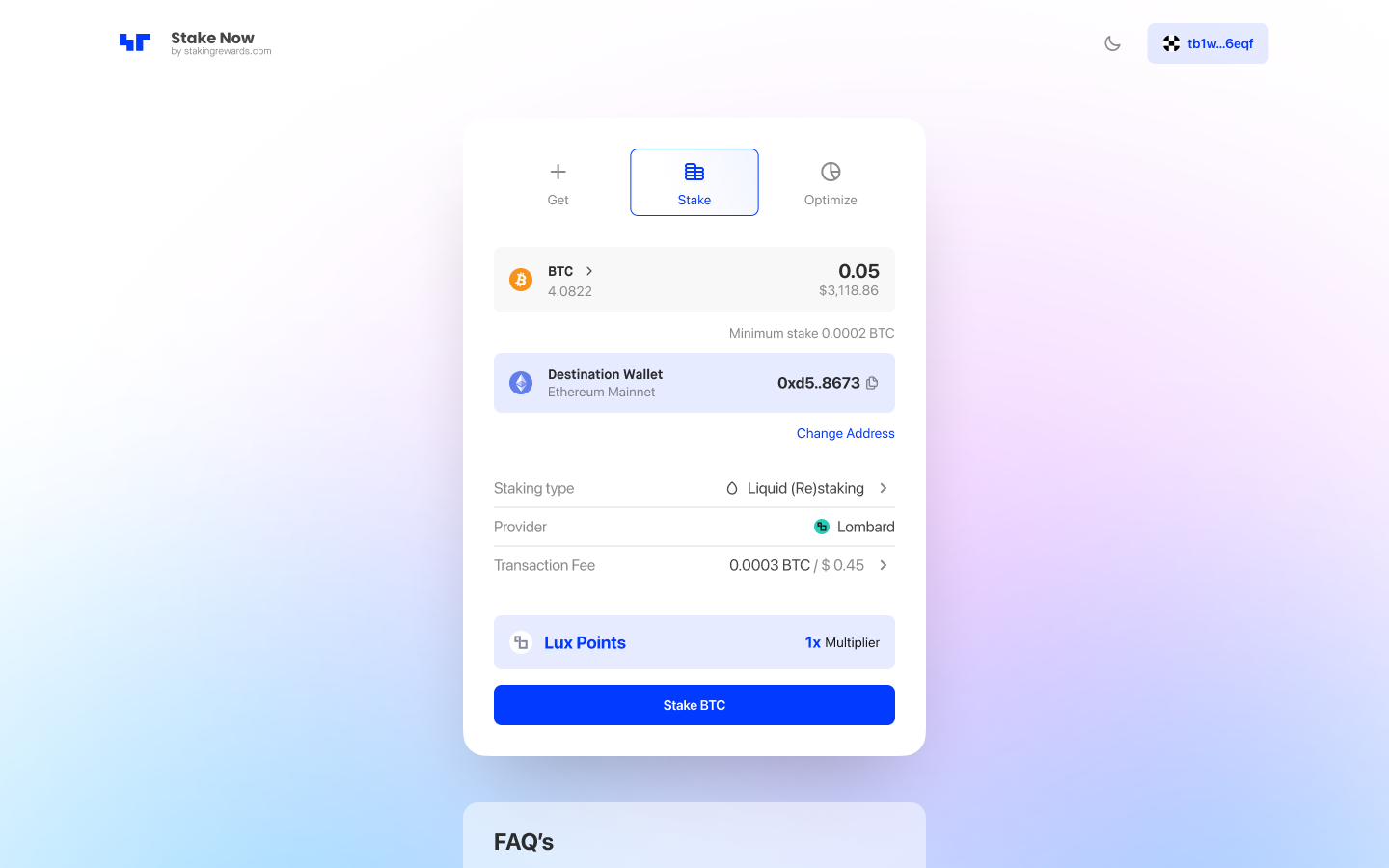
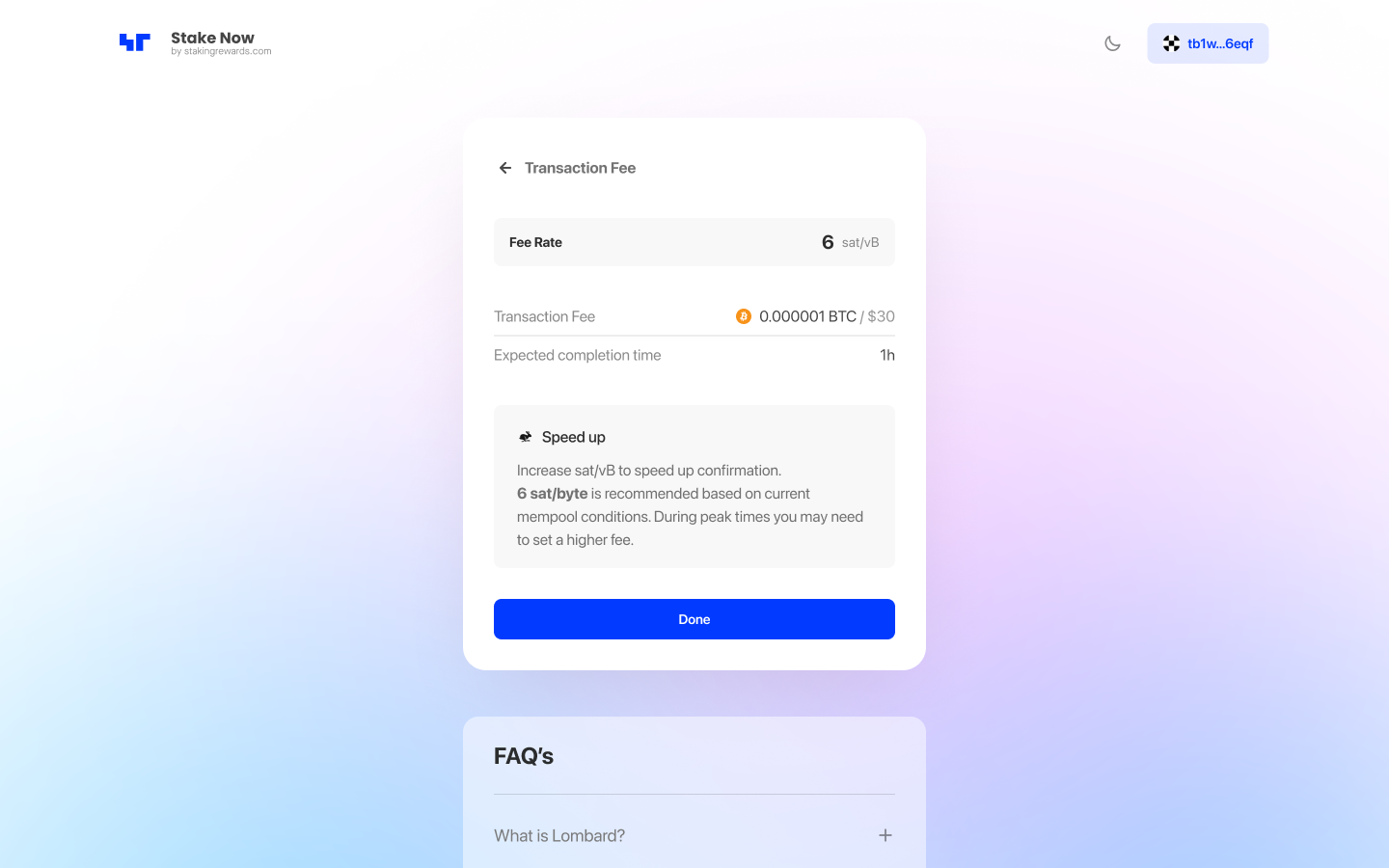
Step 6: Determine the transaction fee
Keep the current network fee or prioritize your delegation by increasing the transaction fee.
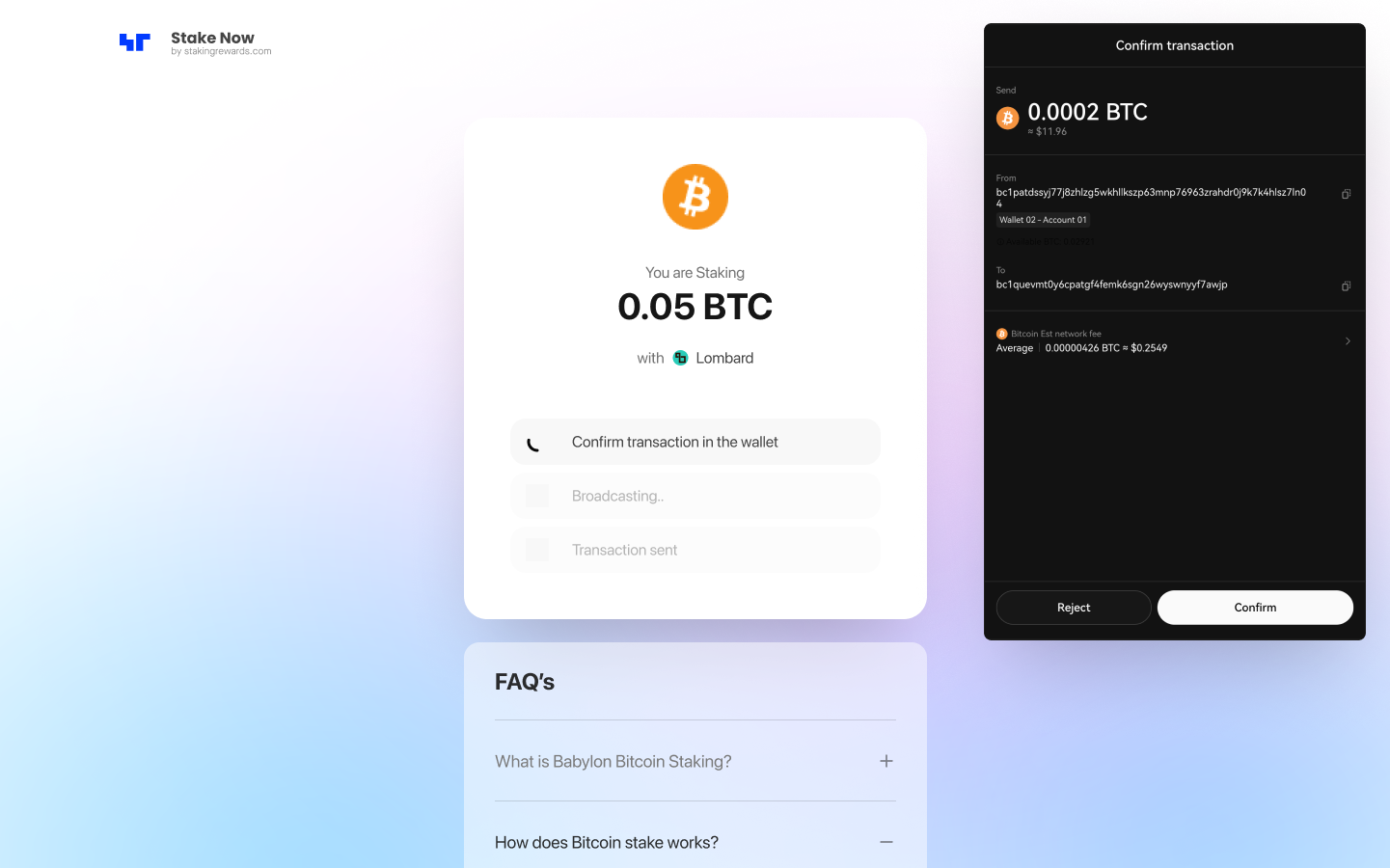
Step 7: Stake BTC
Finalize the staking process by clicking “Stake” and confirm the transaction in your wallet.
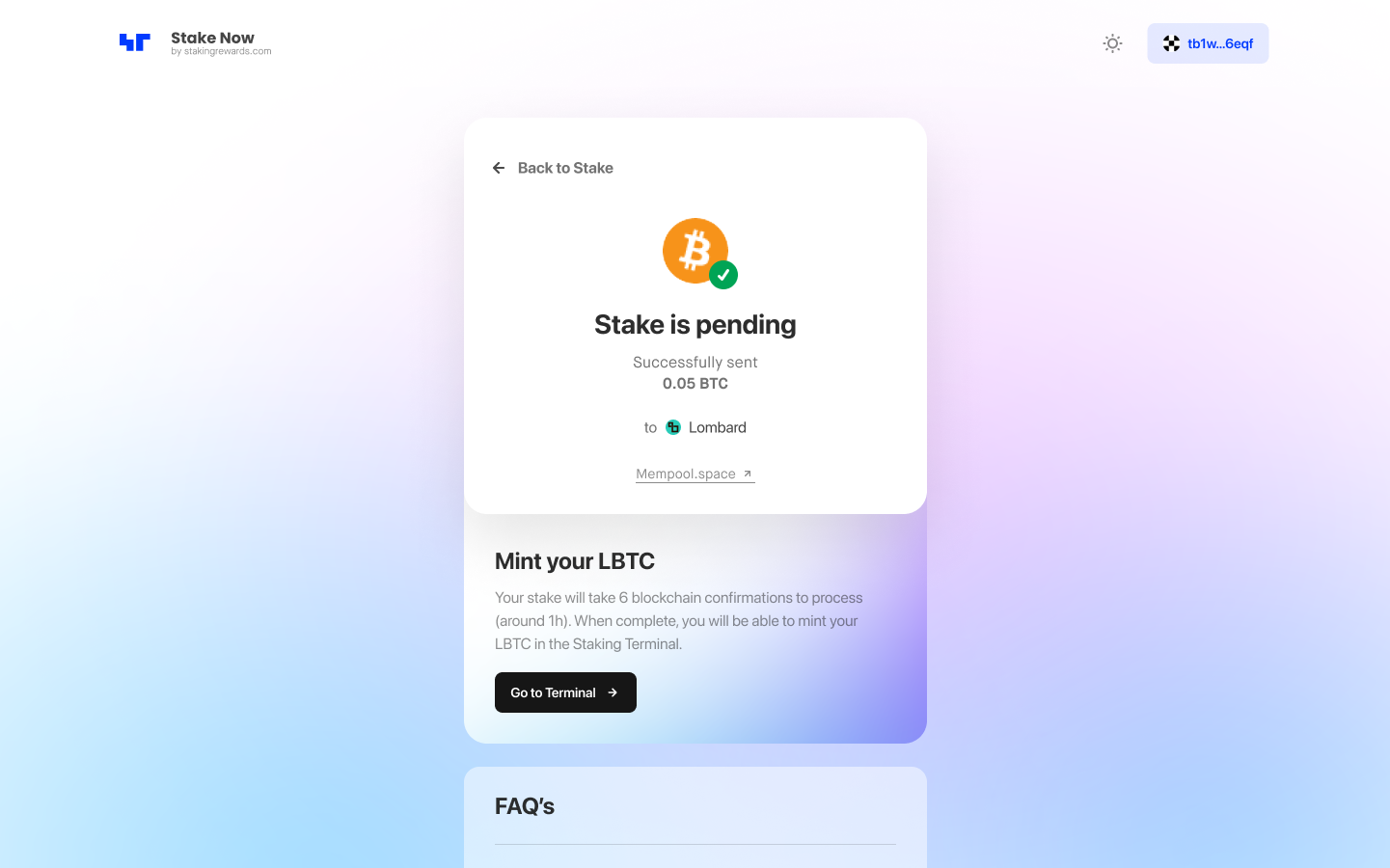
Step 8: Complete the process
Congratulations you have successfully staked your BTC with Lombard. You can now track your pending and staked position via the Staking Terminal.
How to Mint LBTC?
LBTC will be minted automatically, if you sign the initial permissions and if the gas prices weren't to high.
After receiving six confirmations (approximately 60 minutes) from the Bitcoin blockchain, you will be able to see your LBTC using the Staking Terminal.
You will be able to still manually mint LBTC after 6 confirmations if gas prices are very high and the automint was disabled, to your selected destination wallet using the Staking Terminal.
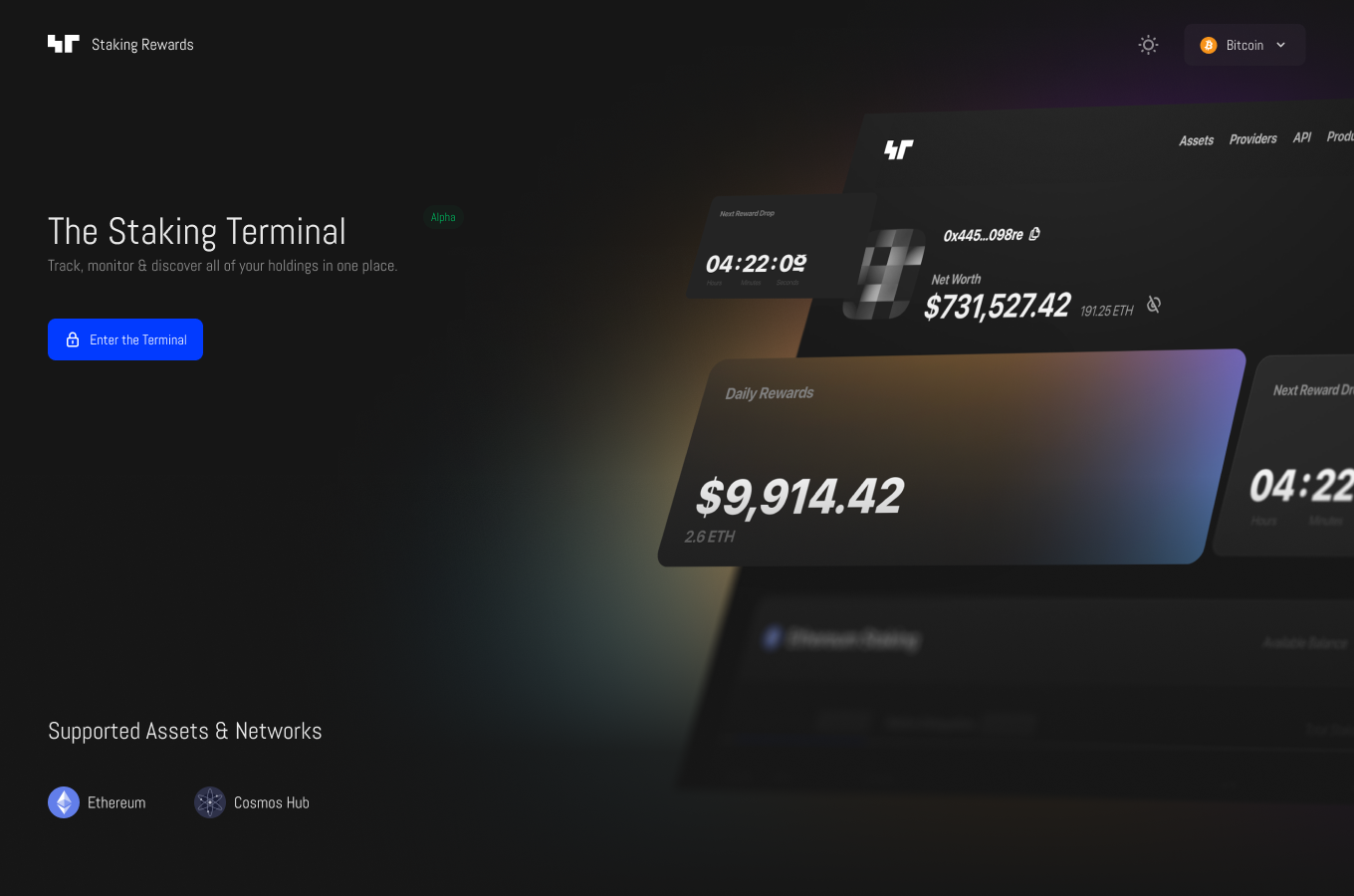
Step 1: Open the Staking Terminal
Navigate to the Staking Terminal to view your BTC delegations.
Step 2: Connect your Bitcoin wallet
Connect the wallet you staked BTC with.
Step 3: Mint LBTC
Select “Mint LBTC” next to your staked position and confirm the transaction in your linked destination wallet.
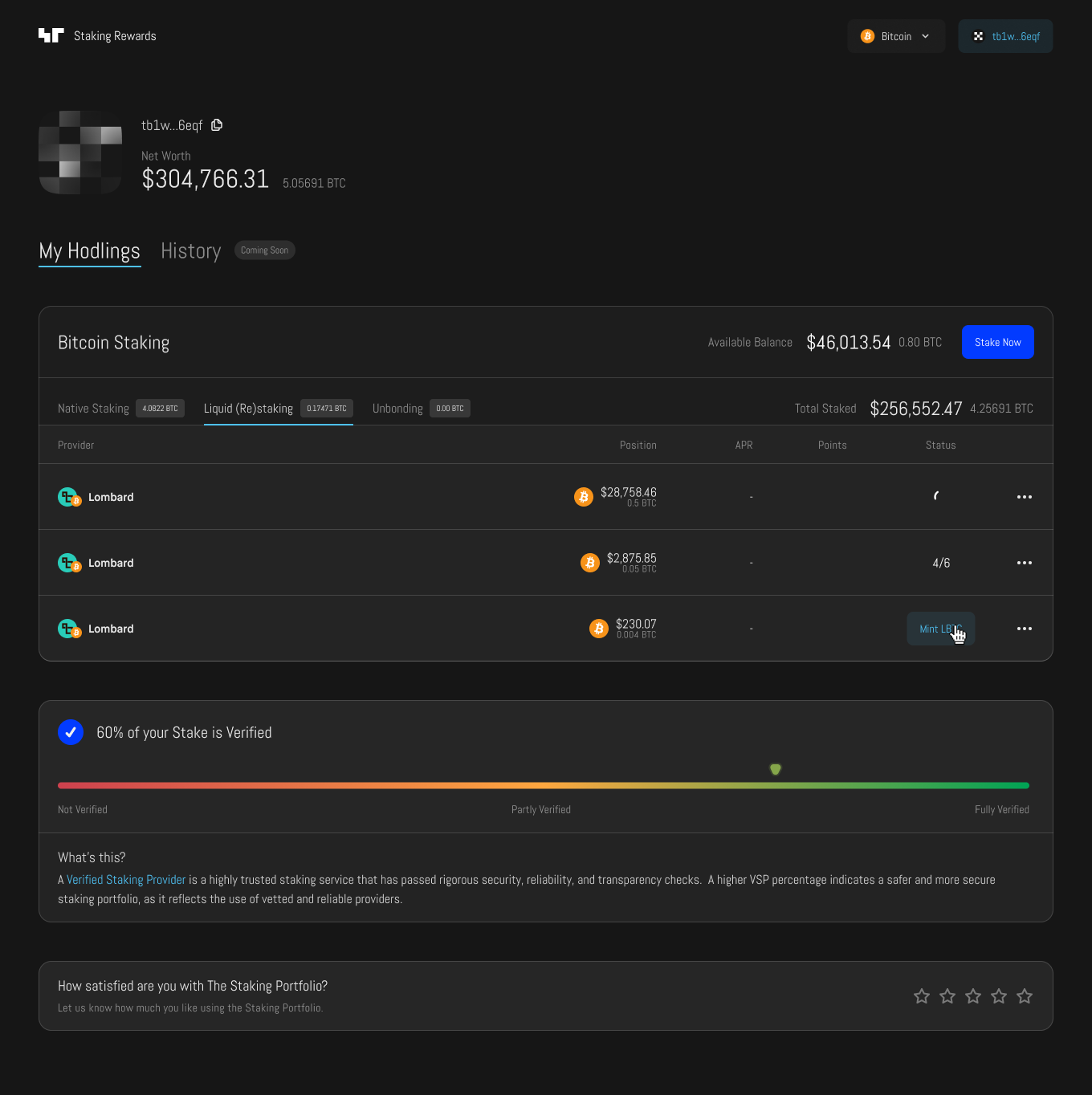
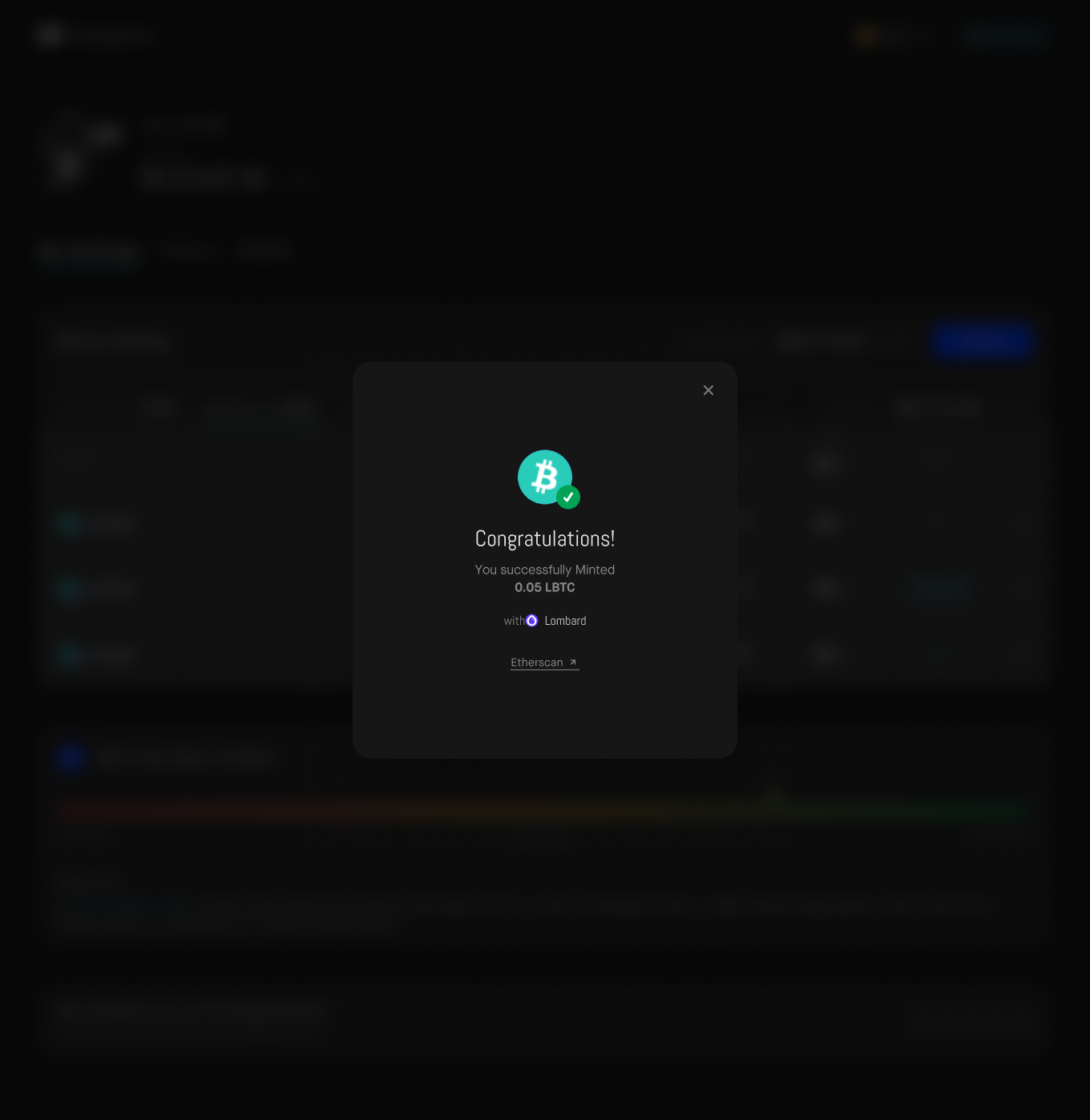
Step 4: Complete the process
Congratulations you have successfully minted LBTC with Lombard. You can now track your staked position via the Staking Terminal.
What are the BTC Staking Rewards?
Lombard stakes BTC through Babylon's secure infrastructure, earning staking rewards. While Babylon locks the staked BTC, Lombard provides liquidity by issuing LBTC, which represents the staked BTC. This setup allows BTC holders to earn staking yields via Babylon while keeping their assets liquid and usable across DeFi through LBTC.
Staking BTC with Lombard offers multiple yield streams:
Native Staking: Earn rewards for contributing to the economic security of PoS networks through Babylon (coming soon).
Babylon Points: Accumulate points that track your staking participation.
Lombard Points: Users staking BTC with Lombard will earn Lux points. Stay tuned for updates!
DeFi Yield Opportunities: Utilize LBTC in various DeFi protocols to access additional returns.
Lombard Staking Details
- The minimum amount required for staking: 0.0002 BTC
- The maximum staking amount: no limit
- Unbonding time: 7 days (Babylon-dependent)
- Lombard points issuance: Days Staked × LBTC Amount × 1000
- Protocol fee: 10% of Babylon rewards
Where to buy BTC?
You can acquire BTC tokens on centralized cryptocurrency exchanges. Always do your own research when selecting a reputable cryptocurrency exchange. For optimal security, it’s advisable not to leave your tokens on an exchange, but to transfer them to your non-custodial or cold/hardware wallet after purchasing. You can buy BTC here:
Track your staking portfolio
Track your position using the Staking Terminal. To learn more about the data points please navigate to FAQ sections on BTC and LBTC Asset Pages.
Conclusion
Staking with Lombard offers Bitcoin holders a unique opportunity to earn rewards through Babylon's secure infrastructure while maintaining liquidity with LBTC. This approach allows users to maximize yields and stay active in the DeFi ecosystem, making it a smart choice for optimizing Bitcoin holdings in the evolving world of DeFi.
Take advantage of this opportunity! Share this tutorial with your friends and help them start staking too! We can build a stronger, more decentralized future for the Lombard.
Lastly, don’t forget to check out the BTC Asset Page for more insights into staking BTC, and drop us a message if you find this tutorial useful. Happy staking!

More from Guides


Institutional-Grade Research
Delivered to Your Inbox
Join 12,000 institutional allocators worldwide. No spam, unsubscribe anytime.