How to Stake Nimiq
TL;DR;
- NIM staking rewards come from token inflation..
- Use the Nimiq Asset Page to track NIM staking details, including reward rates, validator count, and staking ratio.
- Choose operators wisely, using the Staking Rewards Verified Staking Provider (VSP) Program (if available), considering metrics like commission, number of delegators, and staked balances.
- How to stake NIM in a nutshell:
Step 1: Go to Nimiq Wallet, and click the staking button.
Step 2: Choose the validator you want to stake with and click on “SELECT VALIDATOR”.
Step 3: Enter the amount of NIM tokens you want to stake and finalize the staking process by clicking “CONFIRM STAKE”.
Step 4: Enter your password and confirm the transaction in the new tab.
What is NIM Staking?
NIM staking involves locking NIM tokens to participate in Nimiq's proof-of-stake consensus mechanism, ensuring network security, transaction validation, and decentralization. Stakers earn rewards based on their contribution to the network, with incentives tied to staking and participation in Nimiq's consensus providing security.
This article is your comprehensive guide to NIM staking, offering a step-by-step tutorial on the staking process, tips for selecting a trustworthy NIM staking provider, and key network details like fees and lockup periods.
How to Stake NIM?
Staking NIM is easier than you might think, even if it’s your first time. While the idea of staking can seem intimidating at first, this specific process is designed to be user-friendly and straightforward. In this guide, I'll walk you through each step to ensure you feel confident and ready to stake effortlessly. Let's get started and unlock the rewards waiting for you!
This Staking Tutorial is a collaboration between Staking Rewards and Nimiq.
Step 1: Set Up The Wallet
First of all, you have to head to the NIM wallet, which is available here. It also has the option to use a desktop web app that you can download here after setting up your wallet. Once there, you have a few options to choose from:
- If you are a new user, you have to create a new wallet account by going through a series of simple steps like choosing a password and downloading your login file (backup to your wallet).
- In case you already have an account, then you can load your wallet using your login file.
- The other option is to use the NIM wallet through your Ledger Wallet
Step 2. Staking Process
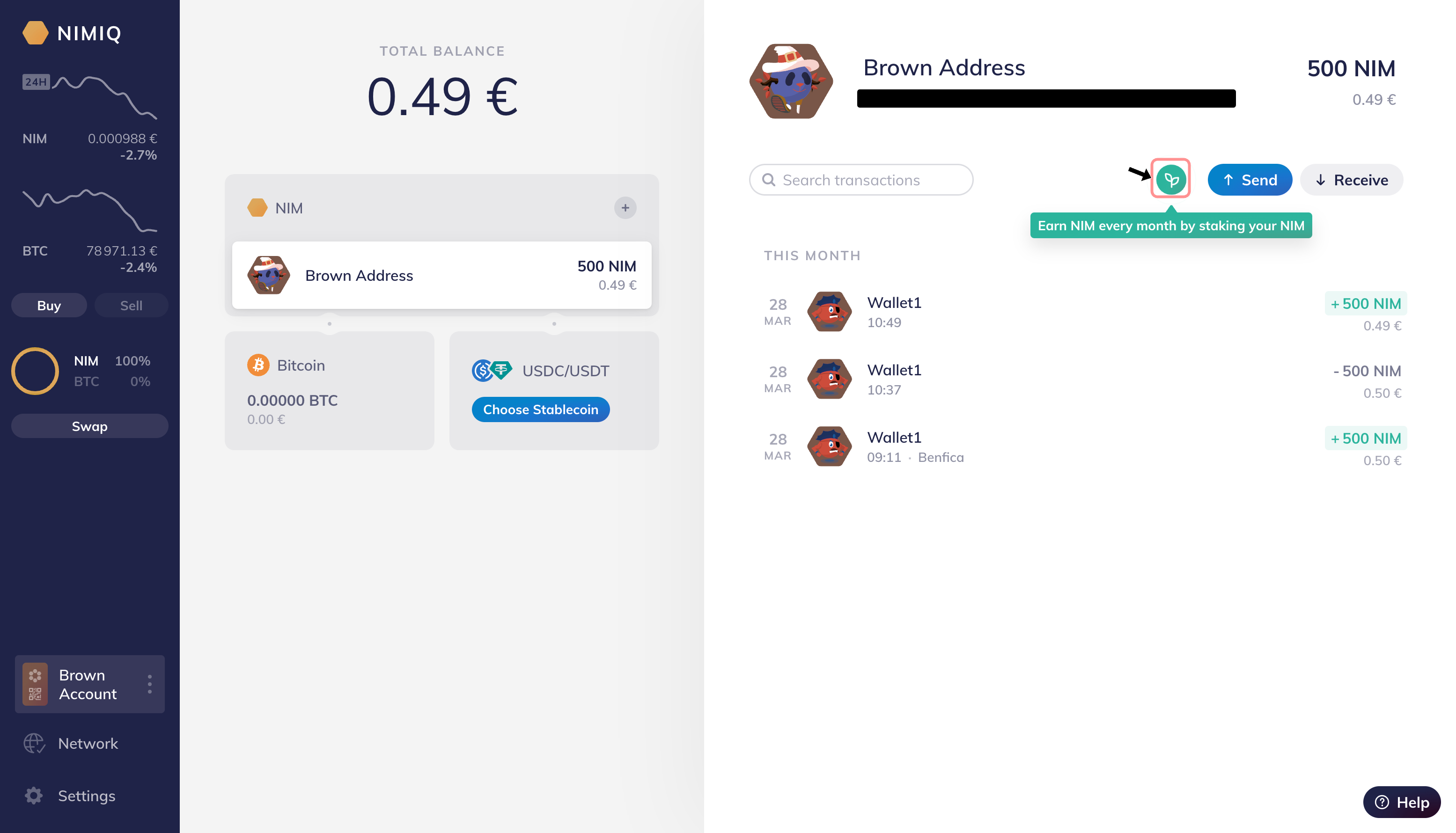
Click on the "Stake NIM" button that will open a new modal on your screen.
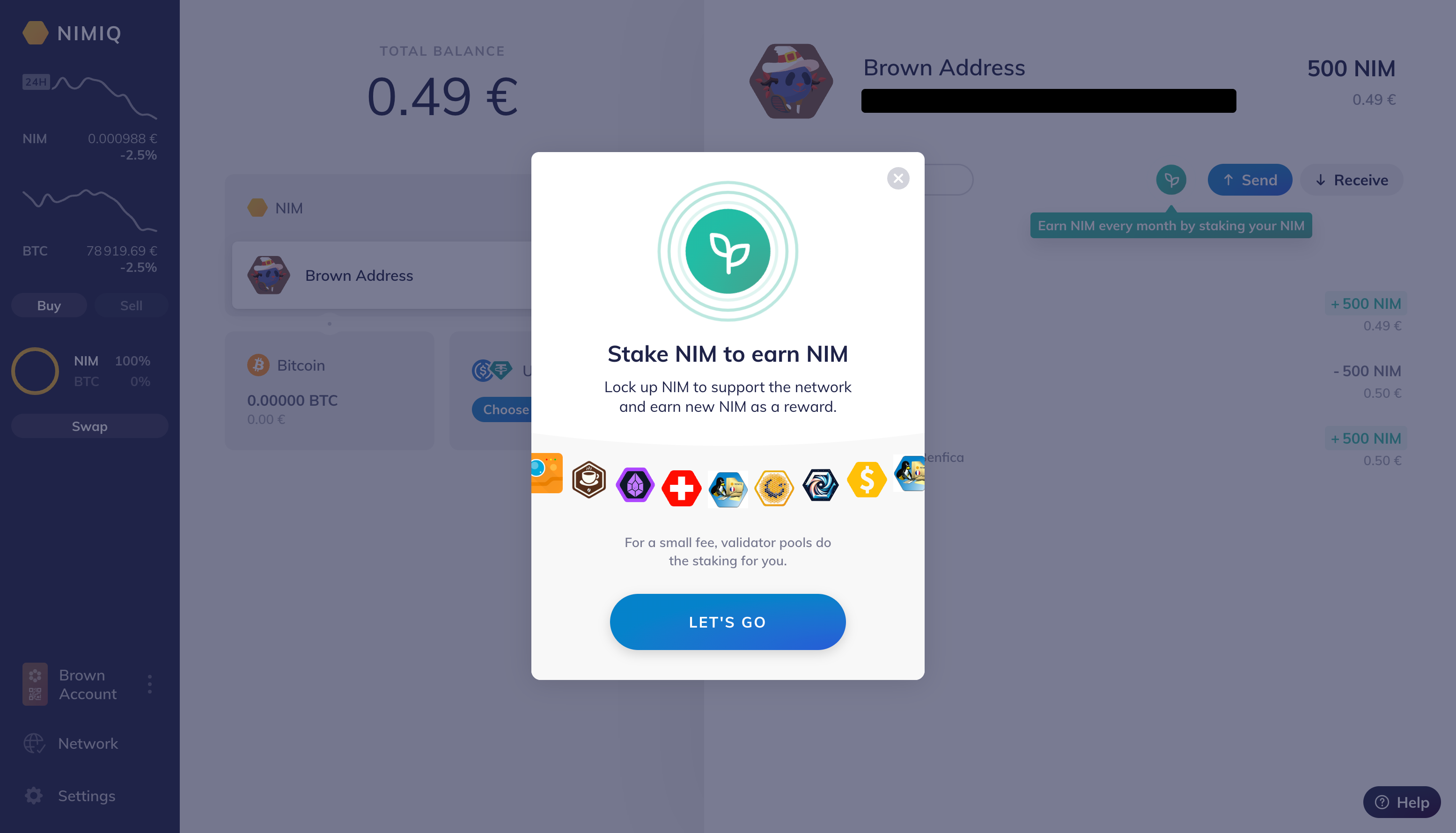
Afterwards a new modal will appear. Click the "LET'S GO" button.
Step 3. Choosing a Validator
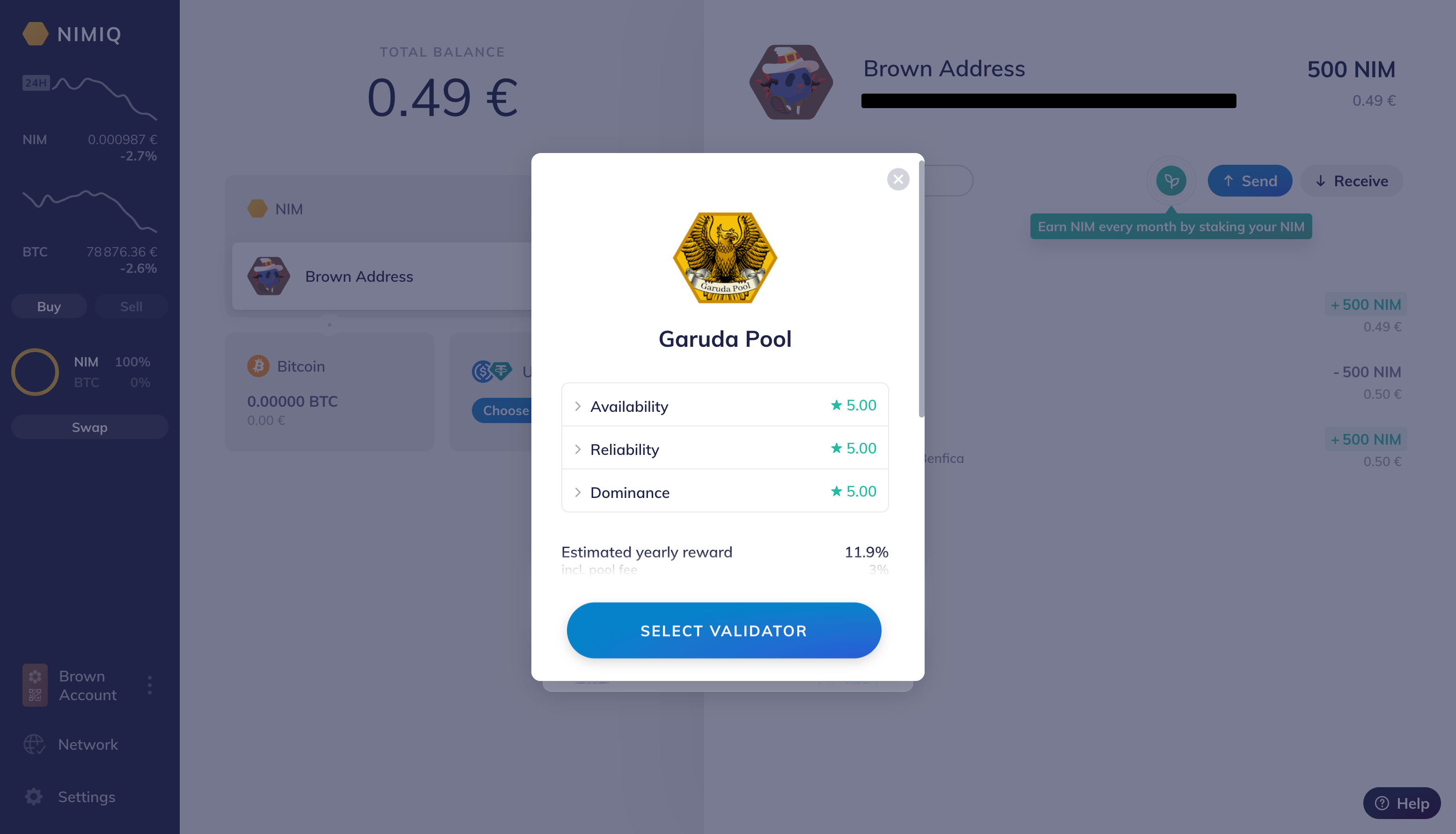
There will now be a list of validators with different reward rates (includes commission). Lower reward rate implies higher fee from the validator.
They will have a performance score. The performance highly impacts the prediction in reward rate as higher performance means more availability and a higher accuracy of the predicted reward rate.
Choose a validator from the list.
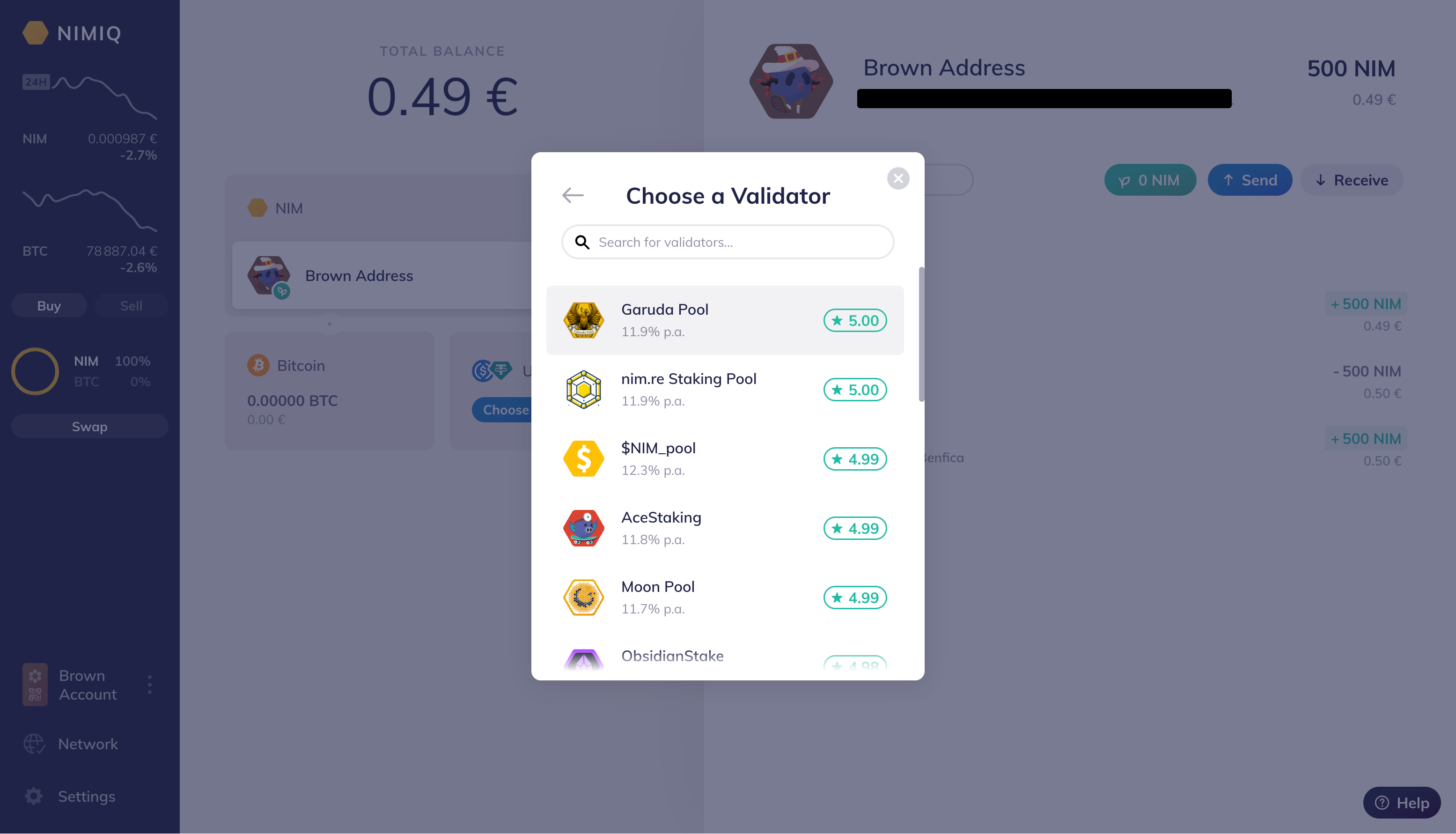
After you choose a validator press "SELECT VALIDATOR".
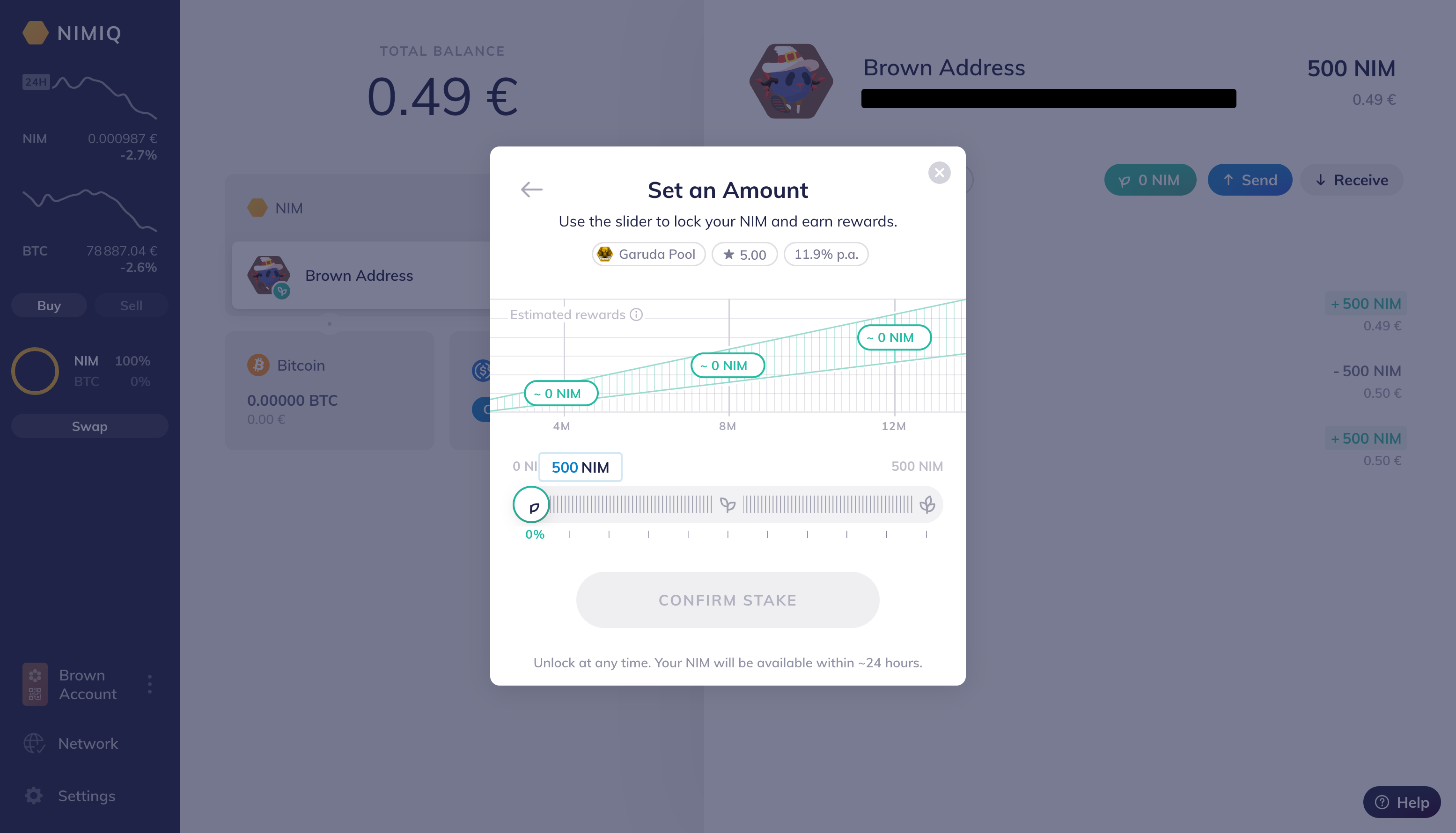
You will have to input either by using the input box or the scroll bar the amount of tokens.
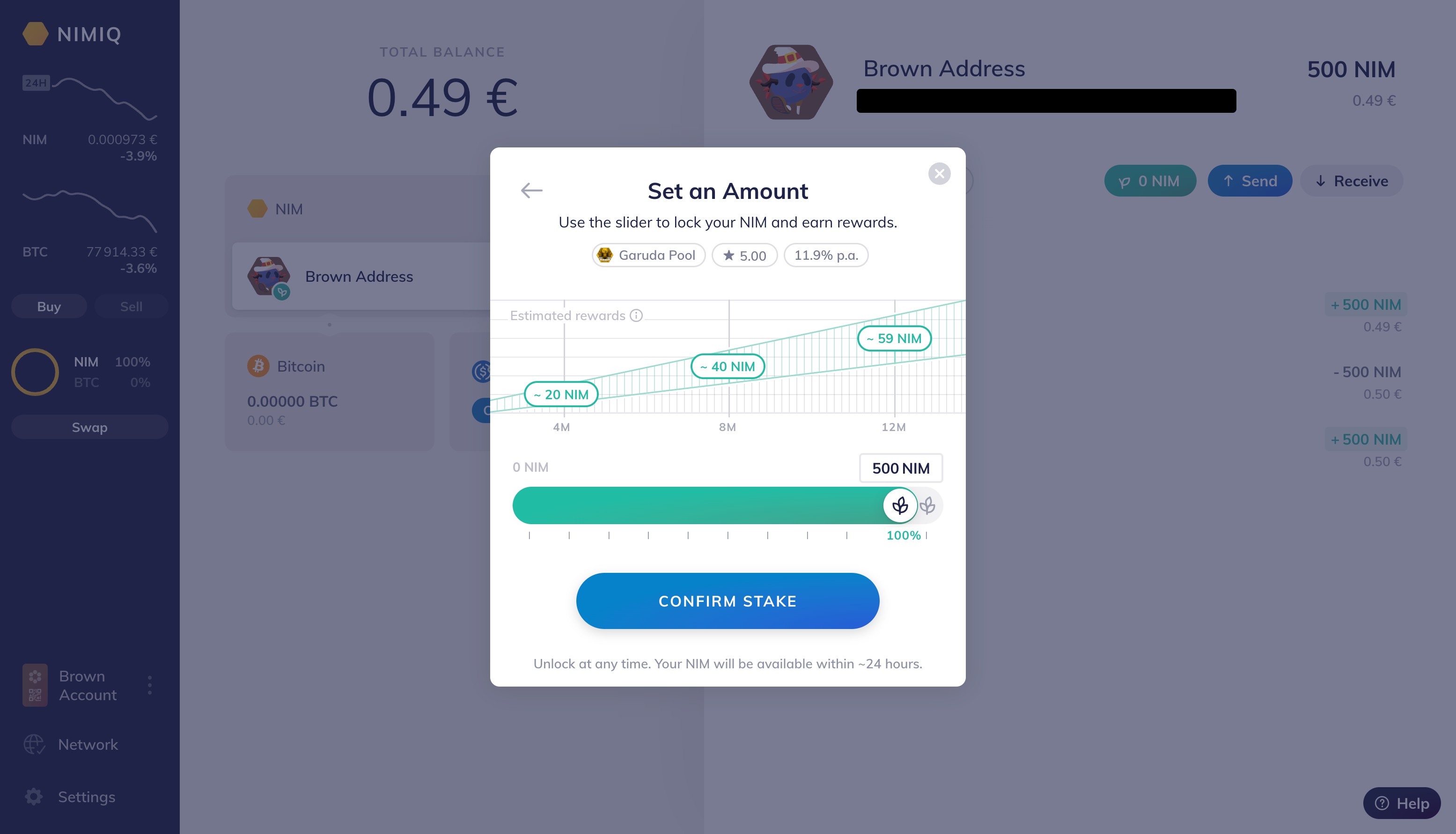
And then confirm your desired stake by clicking "CONFIRM STAKE".
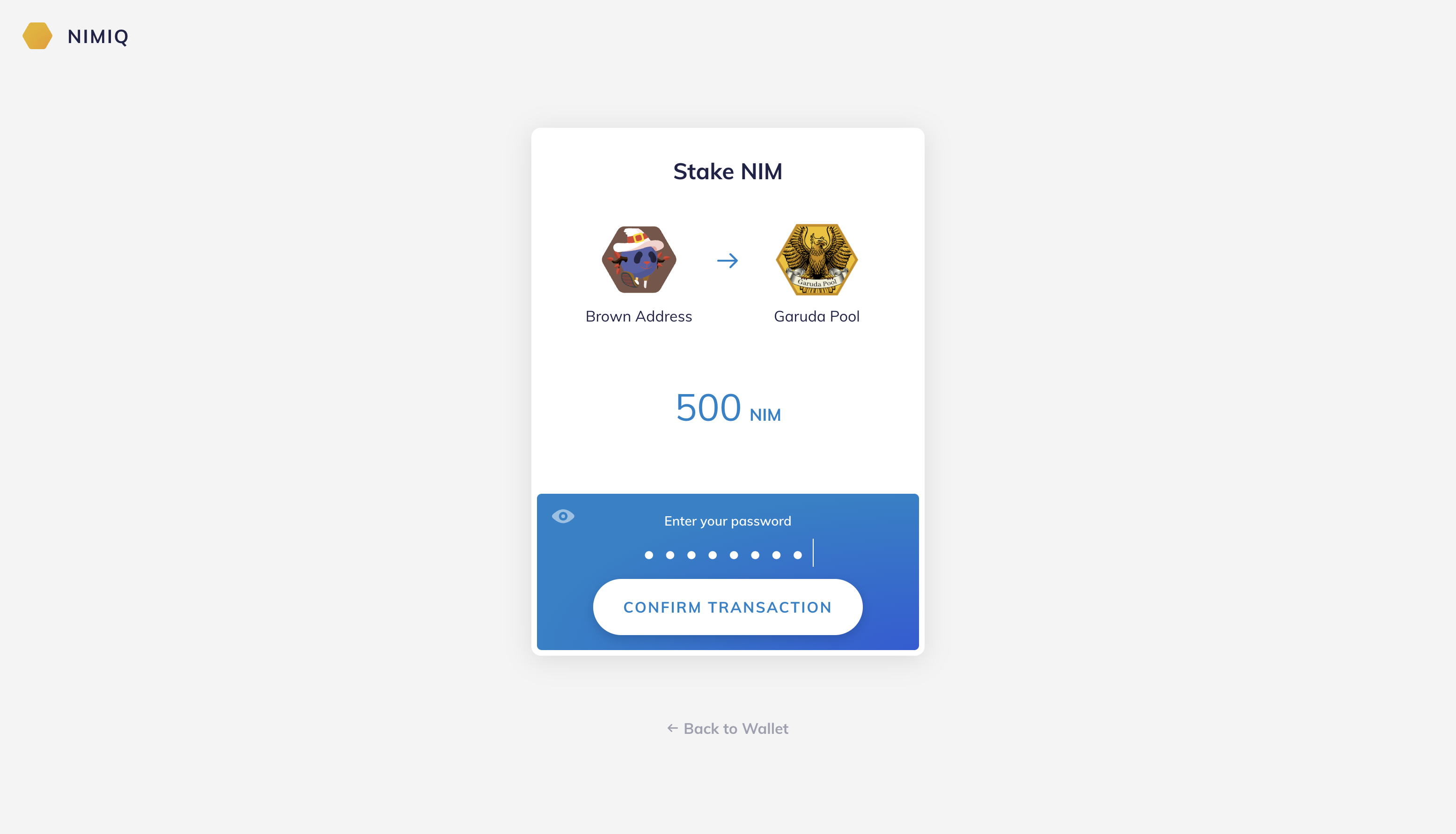
You will then be prompted to a second tab requiring your password. Then press "CONFIRM TRANSACTION".
And in a second your tab will close and you will land in a confirmation window.
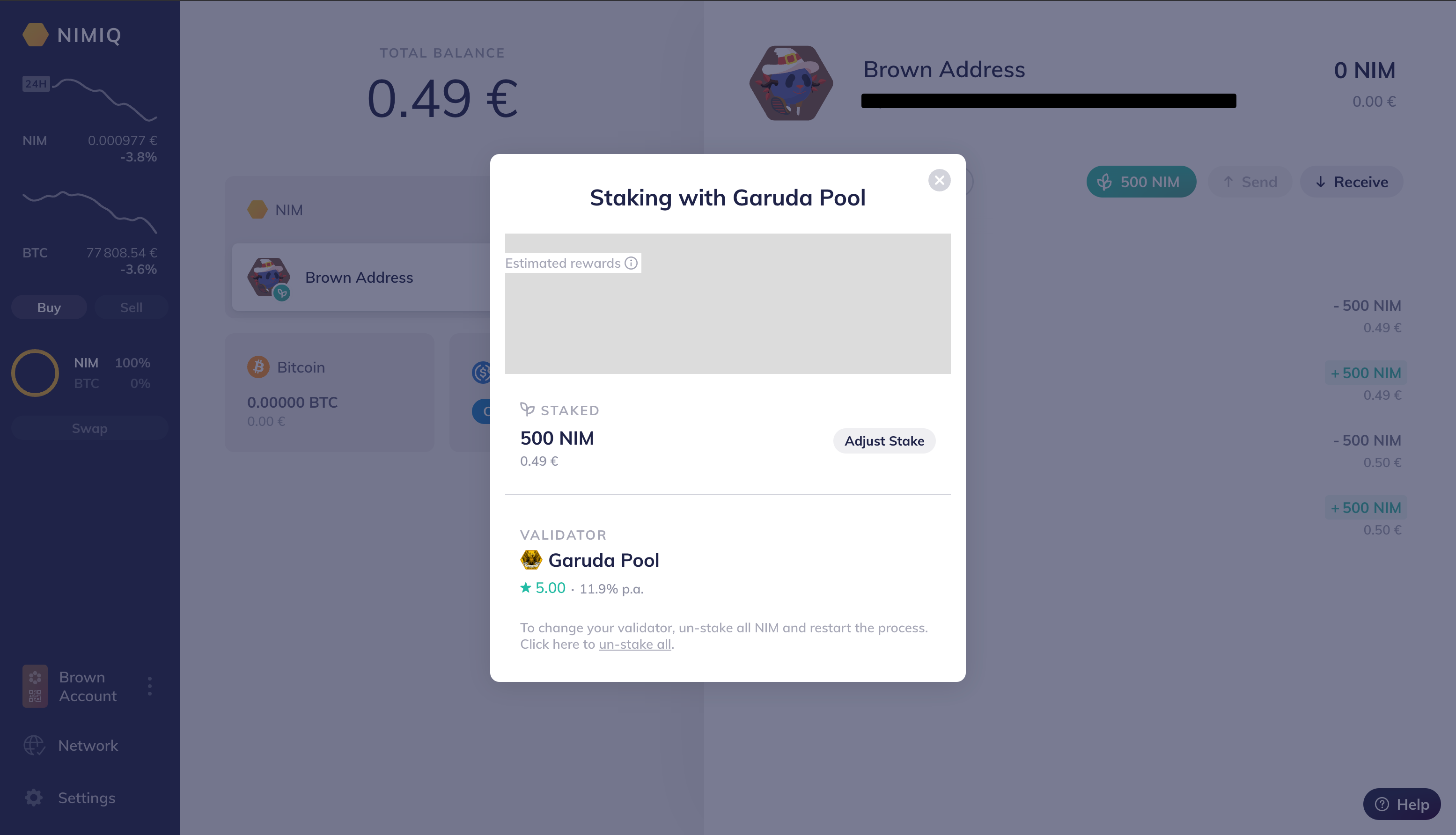
You are now staking NIM. Happy staking!
Step 4. Unstaking
Sometimes you may want to decrease the amount of staked NIM tokens to manage your portefolio. The process will be quite similar.
Start by pressing the same button you used to stake. It will now display the total amount you have staked.
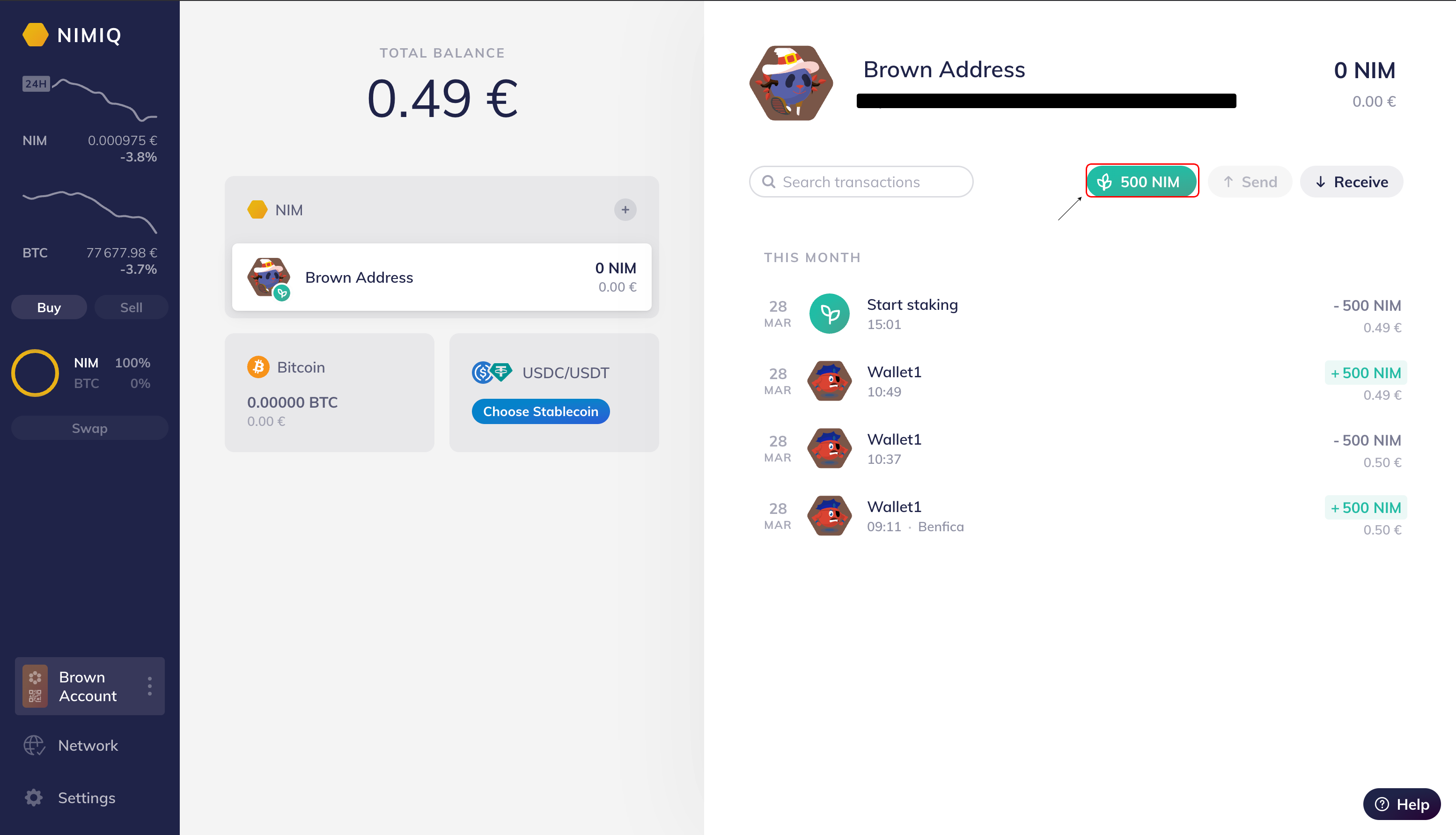
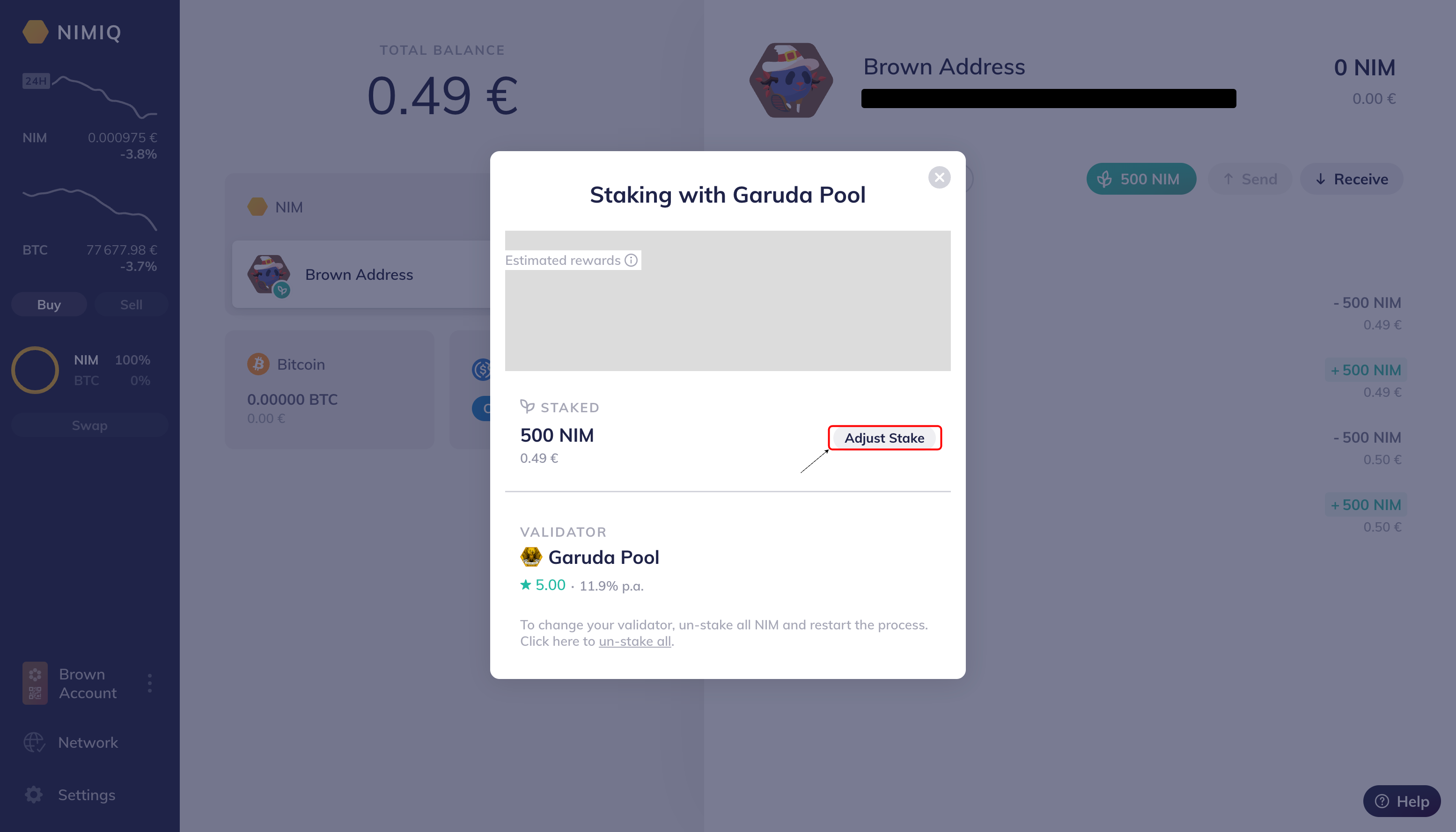
A new modal will pop up with the option to adjust stake.
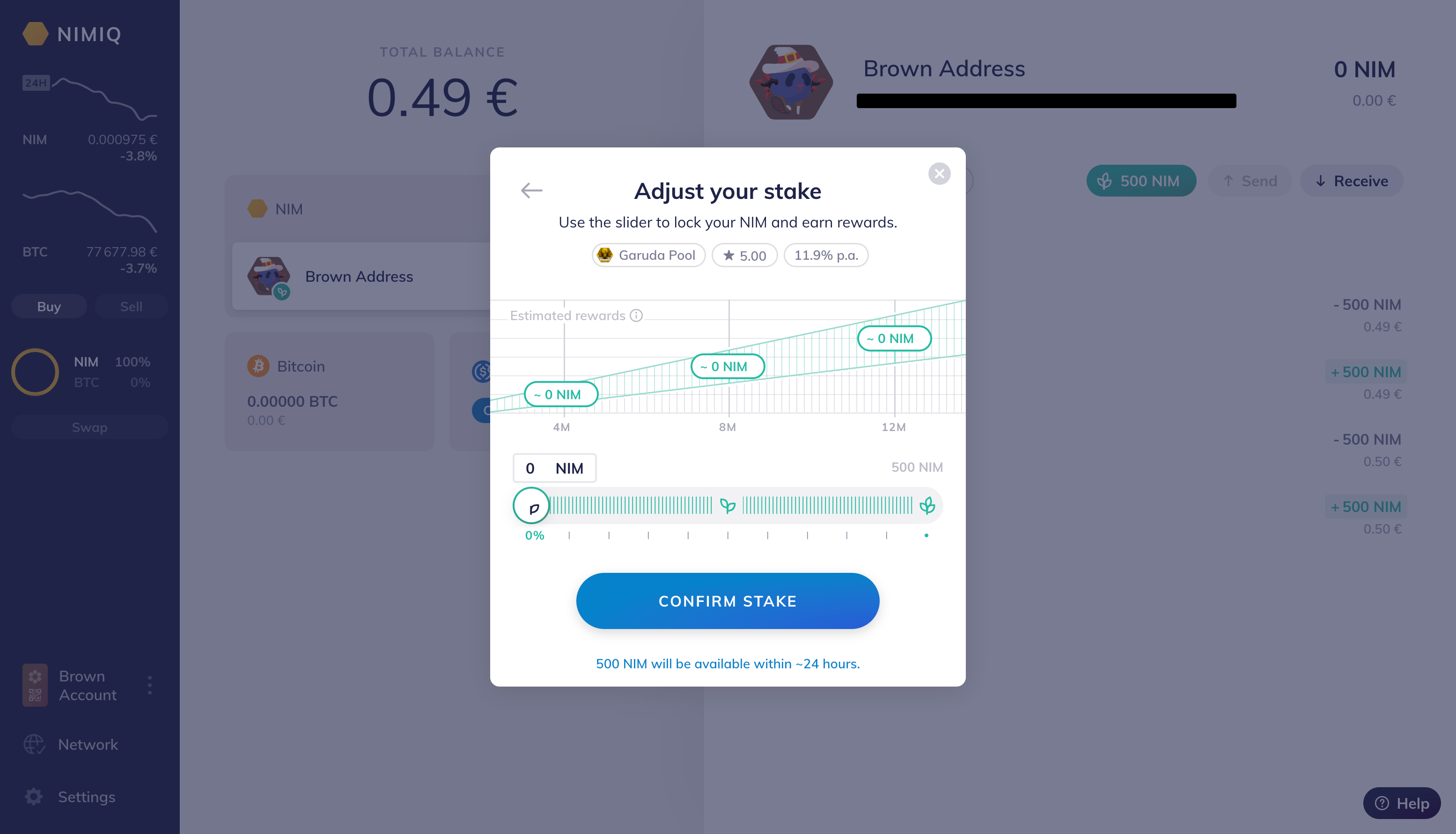
You can now adjust the amount you want to remain staked in the validator. In this example we unstake all tokens.
Similarly to the staking process a new tab will pop up prompting for a password to confirm transaction. After pressing the "CONFIRM TRANSACTION" button the tab will close automatically.
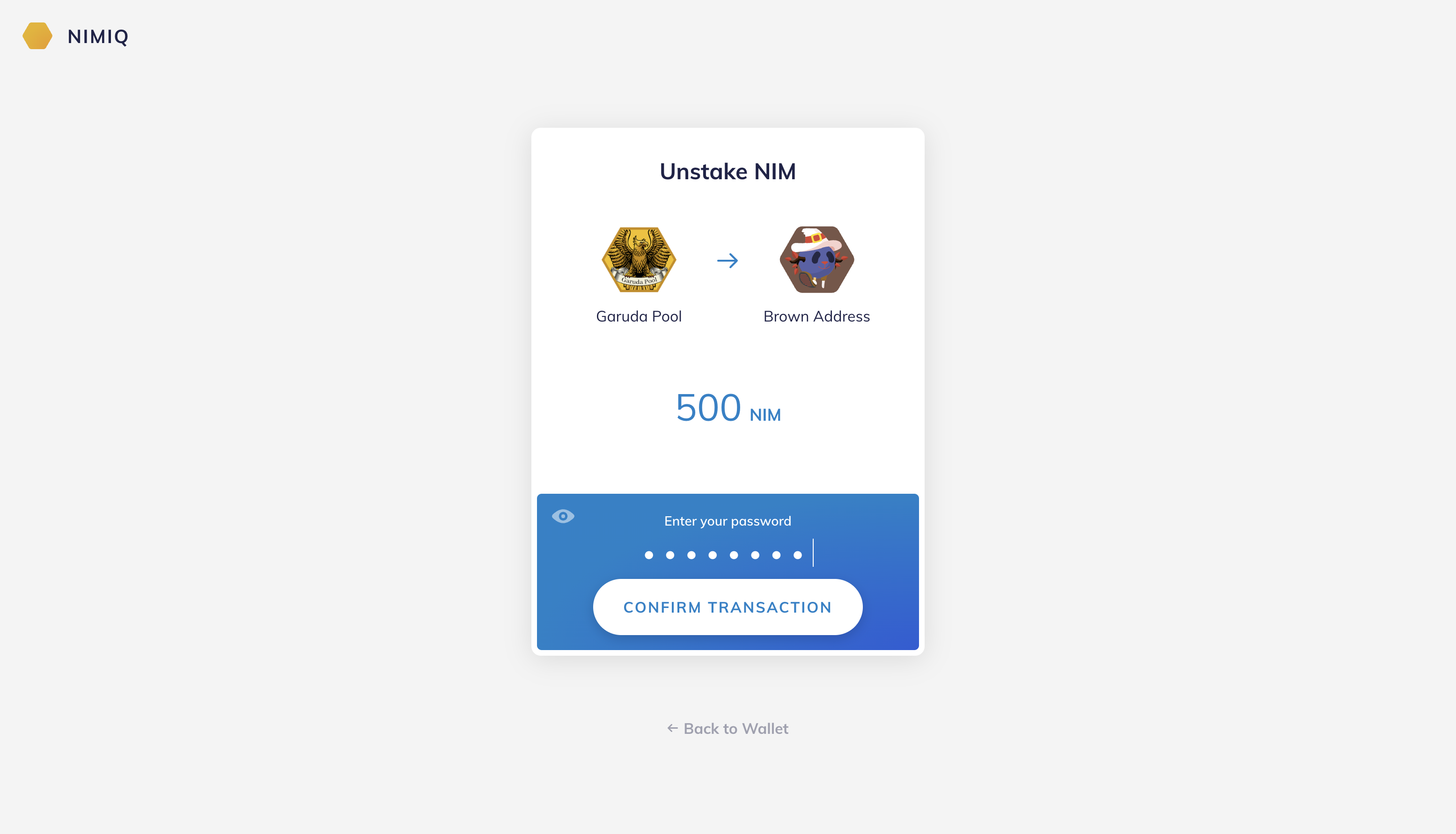
The previous tab will provide a confirmation on your unstaking process.
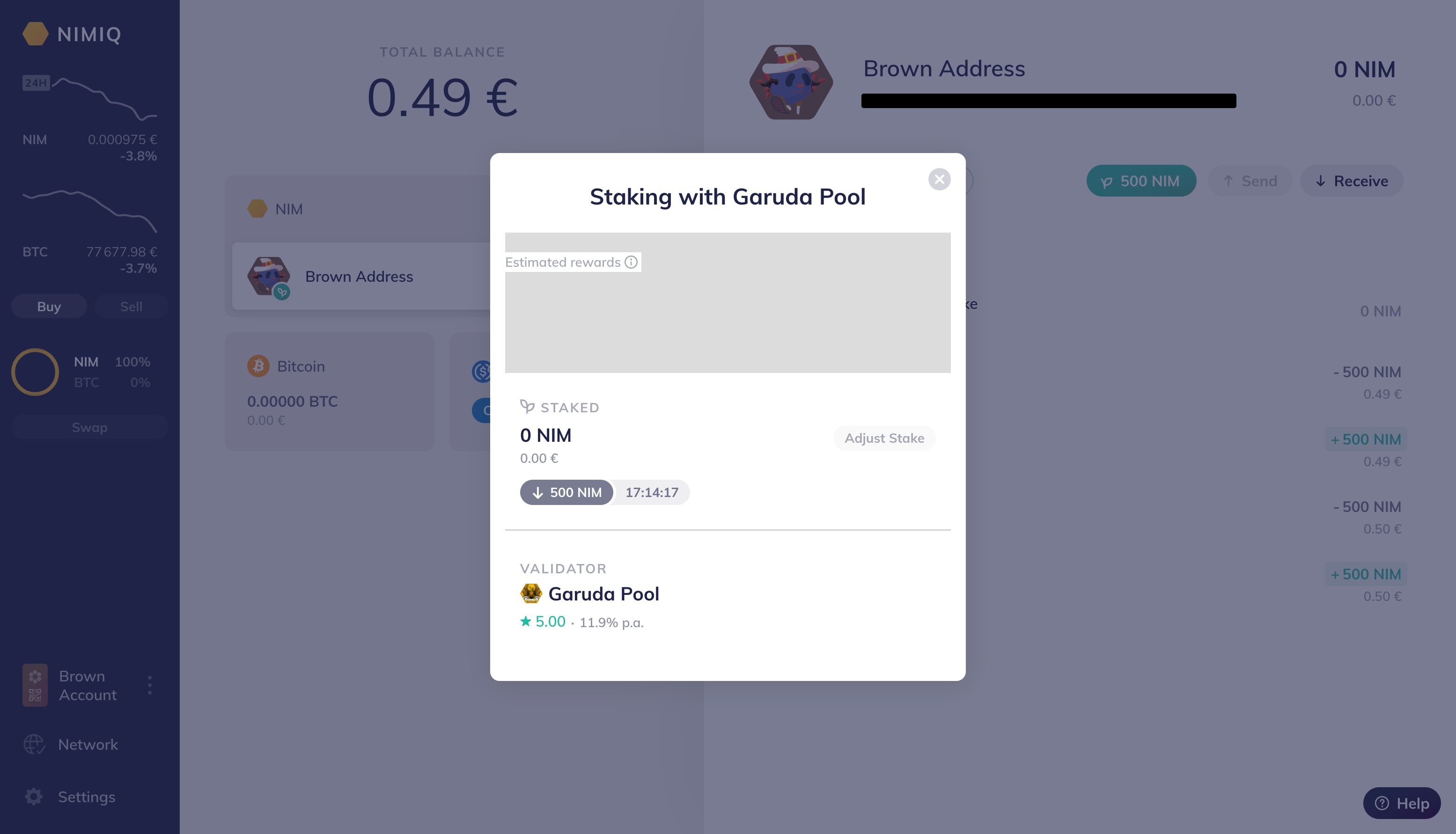
Congratulations! You have successfully unstaked. You just need to wait the cool-down period that is displayed in the window.
This is it!
This Staking Tutorial is a collaboration between Staking Rewards and Nimiq.
If you want to learn more about NIM, feel free to check the Staking Rewards Profile and Calculator.

Institutional-Grade Research
Delivered to Your Inbox
Join 12,000 institutional allocators worldwide. No spam, unsubscribe anytime.